2024 Guide to ICA-Compliant SG Photos: How to Master the 'HDB Studio'
This technical guide explains how to avoid Singapore passport photo rejections using home-based hacks and AI tools. Learn about ICA biometric standards, the '10 AM Window' trick, and the newborn 'Bed Method' to pass MyICA on your first try.
You’ve finally found a slot to renew your passport. You log into the MyICA portal, snap a quick selfie against your living room wall, and hit upload. You think you’re done until the email arrives: "Your photo does not meet ICA requirements."
Now, your application is pushed back by weeks. In Singapore, a passport photo is a high-stakes biometric data point. Utilizing a professional passport photo app is often the difference between a seamless application and a frustrating delay. The Immigration & Checkpoints Authority (ICA) uses facial recognition software that is notoriously unforgiving. If your chin is a fraction too high, or if there’s a faint shadow behind your ear, the system flags it immediately.
I’ve seen thousands of these rejections. Most happen not because the photo looks bad to a human, but because it fails the math. This guide will show you how to turn your HDB flat into a pro-grade studio and submit a photo that passes on the first try.
The Biometric Gatekeeper: Why ICA Rejections Happen #
To understand why ICA is so strict, look beyond the screen. When you upload a photo, it’s not a human officer looking at it first. It’s an algorithm checking your image against ICAO (International Civil Aviation Organization) Document 9303 standards, which govern international biometric travel documents.
The Science of Facial Landmarking #
The software maps "landmarks" on your face: the distance between your pupils, the width of your nose, and the vertical line from your chin to your hairline. If your head is tilted even two degrees, these distances change mathematically. This is why the Singapore Passport Act mandates strict compliance for identity verification.
Shadows: The Number One Application Killer #
The biggest reason for rejection in Singapore is subtle shadows. A "mustache shadow" under the nose or a shadow on the wall behind your head confuses the edge-detection software. The system needs a sharp, clean break between your hair and the background.
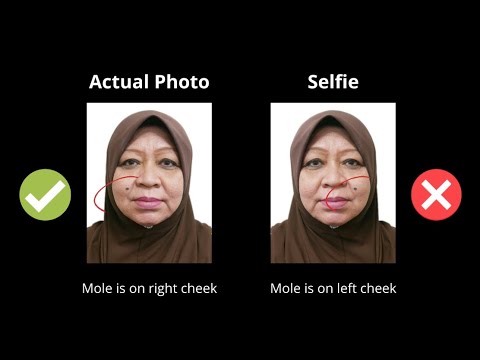
The 'HDB Studio' Blueprint: Professional Results at Home #
You don’t need a DSLR; your smartphone is more than enough when paired with a reliable passport photo app. The secret is managing the environment. Most Singaporean homes have two major hurdles: cramped spaces and "warm" LED lighting that turns white walls yellow.
The 10 AM Window Trick #
Forget your ceiling lights. Most HDB LED bulbs cast harsh downward shadows under your eyes and neck. Instead, use natural, indirect sunlight.
- Timing: Find a window between 9:00 AM and 11:00 AM for optimal brightness without direct, harsh glare.
- Positioning: Stand about 1 meter away from the window, facing it directly. Your photographer should be between you and the light source.
- The Result: This creates "flat" lighting that fills in features and eliminates shadows under the chin.
The 'Sail White' Problem #
ICA requires a stark white background (#FFFFFF). Most "white" walls in Singapore are actually "Sail White" or "Barley White." According to the official ICA photo guidelines, the background must be even and free of shadows.
If your wall isn't pure white, don’t try to fix it with a bedsheet—sheets are usually wrinkled. Instead, stand about half a meter away from the wall to minimize shadows. If it still looks dark, an AI-powered tool like IC Photo Singapore can digitally replace the background with the exact hex-code white required while maintaining hair detail.
Wardrobe and Grooming: Avoiding the 'Floating Head' #
What you wear is critical for biometric scanning. Since the background must be white, do not wear a white or light-colored shirt. Your shoulders will blend into the background, a common cause for rejection noted in many Gov.sg passport renewal guides.
- Wear Dark Colors: Navy blue, black, or dark grey provide the best contrast.
- Glasses: I strongly recommend taking them off. The ICA guidelines state that frames must not obscure eyes and there must be no glare on the lenses.
- Hair and Hijabs: Your hair must not cover your eyebrows. For those wearing a hijab, ensure the face is visible from the chin to the top of the forehead.
Technical Specs Decoded: SG Passport Photo Size and Pixels #
This is where DIY attempts usually fail. The technical specifications for digital uploads on the MyICA Portal are strict and leave no room for error:
| Requirement | Specification |
|---|---|
| SG Passport Photo Size | 400 x 514 pixels |
| File Format | .jpg or .jpeg only (No .heic) |
| File Size | Less than 2MB |
| Head Height | 25mm to 35mm from chin to crown |
If you crop the photo using a standard phone app, you’ll likely miss the eye-coordinate requirements. A dedicated passport size photo editor ensures these ratios are mathematically perfect before you hit upload.
Demographic Hacks: Newborns and Seniors #
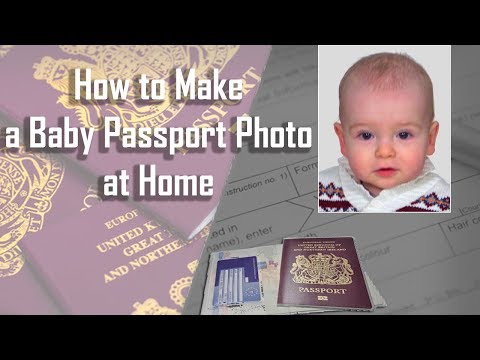
Taking a photo of a three-week-old is a specialized challenge that requires patience and specific techniques.
The Newborn 'Bed Method' #
Don’t try to hold your baby against a wall; your hands will be in the shot, leading to rejection.
- Lay a pure white sheet over a firm mattress.
- Place the baby on their back on the sheet.
- Take the photo from directly above using a mobile passport photo app.
- Pro Tip: Use a squeaky toy next to the camera lens to ensure their eyes are open and looking at the camera.
Seniors and Mobility #
For seniors who have difficulty sitting upright, comfort comes first. You can take the photo in a supportive chair. Ensure the room is as bright as possible to avoid long exposure times which can lead to motion blur. If a medical condition affects posture, ICA may require a manual review, but the photo quality must remain high.
Frequently Asked Questions #
What is the correct SG passport photo size? #
The digital dimensions required by the MyICA portal are 400 pixels wide by 514 pixels high. If you are printing them at a passport photo shop near me, the size is 35mm wide by 45mm high.
Can I use a free passport photo app for ICA submission? #
Yes, you can use a free passport photo app, but ensure it specifically supports Singapore's unique 400x514 pixel ratio. Most generic apps use US or UK standards which will result in rejection.
Can I wear makeup in my passport photo? #
Light makeup is acceptable, but it should not alter your natural appearance or create significant glare. The goal is to match your everyday look for Smart Nation Singapore digital identity verification.
The Bottom Line: Rejection Insurance #
Why do people still pay for professional services when they have a smartphone? It’s about the Compliance Gap. You can follow every step here and still face rejection due to pixel-level noise or metadata errors.
Using IC Photo Singapore acts as your rejection insurance. Our AI validates landmarks against ICA standards, removes backgrounds perfectly, and resizes your image to the exact 400x514 specifications. With a lifetime remake guarantee, it is the most reliable passport photo app solution for Singaporeans who value their time and peace of mind.
Ready to Create Your Photo?
Get your perfect passport, IC, or visa photo in minutes. AI-powered, ICA-compliant, instant download.
Create Your Photo Now