The 2026 Singapore Passport Photo Masterclass: Solving ICA Compliance
Master Singapore ICA passport photo requirements for 2026. Learn to solve 15 technical compliance challenges at home, from newborn photos to biometric alignment, ensuring your application is never rejected.
You’ve spent twenty minutes wrestling your toddler into a button-down shirt, found the only patch of white wall in your HDB flat that isn't blocked by a shoe rack, and snapped fifty photos. You pick the best one, upload it to the ICA portal, and wait. Three days later: Rejected. The reason? "Background not plain white" or "Shadows on face."
If you’ve been through this, you know the Singapore Immigration & Checkpoints Authority (ICA) has some of the strictest biometric standards on the planet. To avoid these frustrations, many residents are turning to a professional passport photo app to ensure technical precision before submission. By 2026, those standards haven't loosened; the technology used to enforce them has simply become more ruthless. ICA now uses sophisticated AI-driven Automated Clearance Systems (ACS) that don't just look at your photo—they dismantle it at a pixel level.
Most online guides give you the basics: "wear dark clothes" and "don't smile." That’s barely the tip of the iceberg. To get a photo through the ICA system on the first try today, you need to understand the Physics of Rejection. This guide solves the 15 hardest technical challenges of taking your own passport photo at home.
The Evolution of the ICA Gatekeeper: Why Your 2024 Photo Might Fail in 2026 #
Singapore is a global leader in biometric border control. The New Clearance Concept (NCC) has made contactless clearance the standard for all residents. For this to work, the digital photo you provide during your passport or IC renewal must be mathematically precise.
The Automated Clearance System (ACS) Factor #
In the past, a human officer might overlook a slight shadow under your chin. Today, an algorithm measures the contrast between your chin and your neck to define your jawline. If that shadow is too dark, the algorithm can't find the "edge" of your face, and the photo is flagged. This isn't about your looks; it's about providing a clear data map of your facial geometry based on ICAO Doc 9303 standards.
The Physics of Rejection: Understanding the Technical Triggers #
Taking a photo at home is convenient, but your living room isn't a studio. These first three technical hurdles trip up nearly everyone attempting to use a passport size photo editor without expert guidance.
Challenge 1: The 'White' Wall Myth and AWB Color Shifting #
Most people think a white wall is enough. It usually isn't. Your smartphone uses Auto White Balance (AWB). When you stand in front of a white wall under warm LED home lights, your phone's processor tries to "correct" the color. Often, it overcorrects, turning that crisp white wall into a muddy grey or a sickly pale yellow.
ICA requires a neutral white background. If your wall looks grey, the contrast between your hair and the background drops, leading to an automatic rejection.
The Fix: Use natural daylight. Stand facing a large window (north-facing is best to avoid direct, harsh sun). Daylight provides the full color spectrum your phone’s AWB needs to stay accurate.
Challenge 2: Sensor Noise and Digital Grain #
A room that feels "bright enough" to your eyes is often too dark for a tiny smartphone camera sensor. When a sensor lacks light, it creates "noise"—those grainy speckles you see when you zoom in. ICA’s scanners hate noise because it blurs the sharp lines of your features.
The Fix: If there’s a delay when you tap the shutter button, you don't have enough light. Move closer to the window or use external lamps with diffusers to flood the area without creating harsh hotspots.
Challenge 3: Floating Head Syndrome #
This happens when a person with very light-colored hair or a white shirt stands against a white wall. The edges of your body literally disappear into the background. The ICA system needs to see a clear silhouette for its cropping algorithms to work.
The Fix: Wear dark-colored clothing. A navy blue or black shirt provides the mathematical contrast necessary for the AI to find your shoulders. Use a reliable passport photo maker to verify this contrast before you upload.
The Hidden Enemy: When Your Smartphone Is Too 'Smart' #
Modern iPhones and flagship Androids are designed to make you look like a movie star. Unfortunately, those exact features will get your passport photo rejected by the ICA systems.
Challenge 4: HDR Ghosting and Artifacts #
High Dynamic Range (HDR) takes multiple photos at different exposures and stitches them together. If you blink or move a fraction of a millimeter during this split-second process, the result is "ghosting"—soft, blurry edges around your ears or hair.
The Fix: Turn off HDR or "High Efficiency" modes in your camera settings. You want a raw, single-exposure image.
Challenge 5: Excessive Skin Smoothing AI #
Most 2026 smartphone models have "Beauty Mode" or "Scene Optimizer" on by default. These tools smooth out skin textures and moles. To the ICA's biometric AI, this looks like a manipulated image. They need to see your actual skin texture to verify identity.
The Fix: Go into your camera settings and slide all "face retouching" or "smoothing" bars to zero. If you look a bit tired in the photo, you're doing it right.
The Newborn Protocol: Mastering the Ultimate 'Boss Level' #
Infants can’t hold their heads up, they don't look at the camera, and they don't care about the "no smiling" rule. According to official guidelines, newborns have some leniency, but it's minimal.
Challenge 6 & 7: The 'Parent’s Hand' and the 'Moro Reflex' #
Don't try to hold the baby up. You'll get a rejection for a visible hand in the frame. Instead, lay a white, non-textured bedsheet on the floor near a bright window and lay the baby on top.
The Fix: To solve the startle reflex (hands flying up) and the eyes-closed issue, you'll need volume. Take 100 photos. Use a crinkly toy held directly behind the phone lens to get that one second of eye contact.
The Mobility Playbook: Homebound Elderly and Disabled Residents #
For residents in wheelchairs or those who are bedbound, getting to a photo booth is a logistical nightmare. Taking a photo at home presents unique challenges with head tilt and shadows.
Challenge 8 & 9: Managing Head Tilt and Support Shadows #
If an elderly family member cannot hold their head straight, a pillow might seem like a good idea. But if that pillow is visible, it's a rejection.
The Fix: Use a thin, white pillowcase over a support cushion. If the head tilts, the photographer should tilt the camera to compensate, keeping the eyes level in the frame. Be careful not to distort the shoulders; the goal is a horizontal eye line.
Religious Headgear and the 2026 Visibility Standards #
Singapore respects religious headgear like the Hijab or Turban, but the biometric requirements are firm: the face must be visible from the bottom of the chin to the top of the forehead.
Challenge 10 & 11: The Chin-to-Forehead Rule and Under-Turban Shadows #
For Hijab wearers, the scarf must be pulled back to show the entire face. It cannot cast a shadow over the forehead or cheeks.
The Fix: Use a "flat" wrap style. If the headgear is too bulky, it creates deep shadows that hide the temples—key biometric points. Use a "fill light"—a piece of white cardboard held at chest level (out of frame) to reflect light back up under the brow.
Precision Geometry: Eyebrows, Pupils, and Posture #
Challenge 12: The Eyebrow Occlusion Rule #
This is the most common "hidden" rejection reason. If your fringe covers even a portion of your eyebrows, the AI can't determine the shape of your brow bone.
The Fix: Use hair gel or a clip. Your eyebrows must be 100% visible. If you have long hair, tuck it behind your ears so your face shape is clear.
Challenge 13: Pupil Distance and Direct Gaze #
You must look at the camera lens, not the screen. Looking at the screen creates a downward cast, changing the perceived distance between your pupils.
The Fix: Stick a post-it note right next to the camera lens. Staring at that ensures a perfectly centered, level gaze.
Challenge 14: The 'Slouch' and Shoulder Alignment #
If you lean your head, the distance from your ear to your shoulder changes. The ICA system checks for symmetry.
The Fix: Use a stool without a back. It forces better posture. Keep your shoulders level and relaxed.
Challenge 15: Wide-Angle Distortion (The "Big Nose" Effect) #
Taking a photo too close (within 1 meter) uses the phone's wide-angle properties, which distorts facial features—making the nose look larger and ears smaller. This ruins biometric accuracy.
The Fix: The photographer should stand 2 meters away and use a 2x zoom. This flattens the image and keeps your facial proportions natural.
Frequently Asked Questions (FAQ) #
What is the SG passport photo size requirement? #
The required size for a Singapore passport photo is 35mm wide by 45mm high. If you are using a free passport photo app, ensure it specifically targets the Singapore ICA 35x45mm dimensions.
Can I wear glasses in my Singapore passport photo? #
ICA generally advises taking photos without glasses to avoid glare and frame occlusion. If you must wear them, the frames cannot cover any part of the eyes, and there must be no reflection on the lenses.
Where can I take a passport photo in Singapore if I fail at home? #
You can find a passport photo shop near me or use a passport photo booth at most MRT stations. However, using a professional passport photo app like IC Photo Singapore allows you to check compliance before leaving your house.
How do I make a passport size photo online free? #
You can use various online tools, but be cautious. Most free tools do not verify biometric data like eyebrow visibility or sensor noise. For critical documents, a specialized AI-powered validator is safer.
Why AI Validation is No Longer Optional #
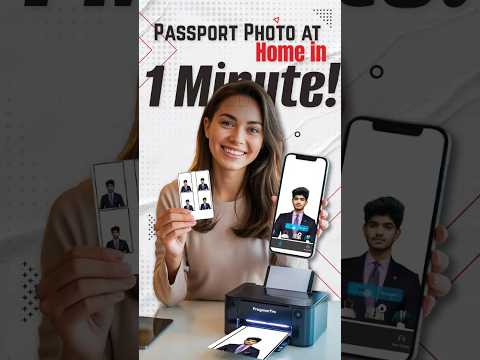
You can follow every step and still feel uncertain. This is why we built IC Photo Singapore. Our tool doesn't just crop; it runs your photo through a compliance engine that mimics ICA's backend logic. We check over 50 points of failure, including eyebrow visibility, sensor noise, and background accuracy.
If you use our service, we provide a lifetime remake guarantee. If the ICA rejects it, we fix it or refund you. In 2026, where a passport rejection can delay your travel by weeks, that peace of mind is mandatory.
Final Checklist for Your Home Session #
- Timing: 10 AM to 2 PM for the best natural light.
- Clothing: Solid dark colors. No patterns, no white.
- Hair: Tucked back, eyebrows fully exposed.
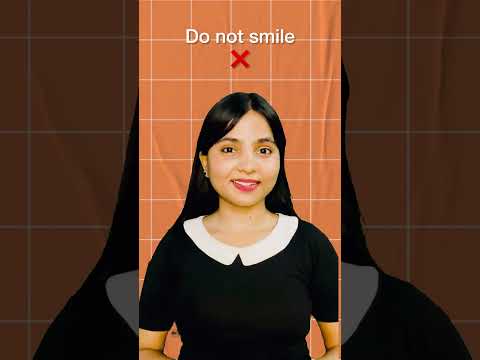
- Face: Neutral expression. No teeth, no squinting.
- Camera: Use the back camera (higher resolution than the selfie lens).
- Zoom: Stand 2 meters back and zoom in slightly to avoid distortion.
Taking your own passport photo in Singapore is more than a selfie; it’s a piece of biometric data. By using a dedicated passport photo app and following these 15 steps, you ensure your next trip starts at the automated gate, not at a manual counter explaining a photo failure.
Ready to Create Your Photo?
Get your perfect passport, IC, or visa photo in minutes. AI-powered, ICA-compliant, instant download.
Create Your Photo Now