The Digital Identity Masterclass: Solving the 15 Most Common MyICA Photo Rejection Reasons in Singapore
Avoid the frustration of a rejected passport or IC photo. This expert guide breaks down ICA's strict biometric requirements, identifies 15 common rejection reasons, and provides professional home-studio hacks for perfect results using a passport photo app.
If you've ever stared at a “Photo Rejected” notification on the MyICA portal, you've felt that specific sting of Singaporean administrative frustration. It's not just the $10 or $20 wasted at a neighborhood photo booth; it's the two-week delay in your passport renewal, the missed travel window, or the headache of trying to get a toddler to sit still for a second round of shots. The most efficient solution today is using a dedicated passport photo app like IC Photo Singapore to ensure your image meets the stringent biometric standards required by the Immigration & Checkpoints Authority (ICA).
Most of us think we're just providing a portrait. But to the ICA, you're submitting a high-precision biometric data point. Singapore uses some of the world's most advanced facial recognition technology, and their algorithms are far less forgiving than any human eye. If the math doesn't add up, your photo doesn't get through.
The Digital Gatekeeper: Why Your Face is Now a Set of Coordinates #
When you upload a photo to the ICA, it doesn't go straight to an officer. It's first processed by an automated system built on the ISO/IEC 19794-5:2011 Biometric Data Standards. This international benchmark isn't about looking good; it's about making sure your face can be mapped by machines at Changi's automated gates.
The Shift from 'Photo' to 'Biometric Data' #
In the past, a passport photo just had to "look like you." Today, the software identifies key landmarks—the exact corners of your eyes, the bridge of your nose, and the edges of your lips. If your hair covers an eyebrow or a shadow softens the line of your jaw, the software can’t “pin” those coordinates. If the pins aren't perfect, the system flags the photo for manual rejection.
How the ICA Algorithm 'Reads' Your Face #
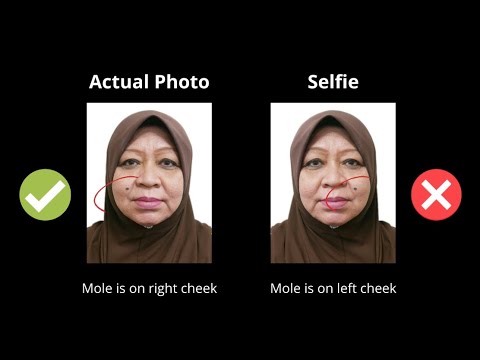
Imagine a 3D grid overlaying your face. The algorithm measures the ratio of your forehead height to your chin length and the distance between your pupils. This is why a “head tilt” or a “wide smile” is a deal-breaker. A tilt changes the geometry of your face in 2D space, making it impossible for the software to verify your identity against the data stored in the national biometric database.
The Troubleshooting Matrix: 15 Reasons Your Photo Gets Rejected #
After analyzing hundreds of rejected photos and monitoring discussions on local platforms like HardwareZone Forum, where residents share real-world rejection cases, we've categorized the 15 most frequent pitfalls. Using a reliable passport size photo editor can help you avoid these technical traps.
Lighting & Shadow: The 'Stealth' Killers #
- Uneven Lighting (The 'Phantom' Half-Face): This happens when light comes from one side—usually a window. One side of your face is bright, the other is in shadow. The algorithm fails because it can’t find symmetrical landmarks.
- Background Shadows: If you stand too close to the wall, your head will cast a shadow. Official ICA photo guidelines require a clean, white background without any greyish shadows.
- Forehead Shadows from Hair: Even if your eyes are visible, thick bangs casting a dark shadow on your forehead can disrupt the 3D mapping.
- Flash Blindness (Overexposure): Too much flash “washes out” skin texture. You lose the definition of your nose bridge, and the software sees a white blob instead of a face.
- Under-exposure (Graininess): Dim lighting leads to digital "noise." The algorithm needs sharp, clear edges, not fuzzy pixels.
The Geometry of the Face: Hair, Eyebrows, and Expressions #
- The Eyebrow Obstruction: This is the #1 rejection reason. Your eyebrows must be fully visible. Even a few stray strands of a fringe can trigger a manual review.
- Hair Covering the Outer Face: While rules have relaxed slightly on ears, if your hair obscures the outer contour of your face, the software can't measure your face width.
- The 'Instagram' Smile: We're trained to smile for photos, but ICA wants a “neutral expression.” No teeth, no squinting, and definitely no pouting.
- Non-Frontal Pose: Your head must be squared to the camera. Even a slight 5-degree turn makes you look like a different person to a scanner.
- Head Tilt: Looking up or down changes the perceived shape of your nose and the position of your eyes.
Technical Failures: Pixels, Compression, and Contrast #
- The White Shirt Blunder: Wear a white shirt against a white background, and your shoulders disappear. The software can't “segment” your body from the wall.
- Incorrect Dimensions: ICA specifically requires 400 x 514 pixels. If you upload a square 500x500 photo, it will be stretched and rejected.
- File Size Limits: Your file must be under 2MB. But be careful—if you compress it too much to meet that limit, the photo becomes blurry.
- Tinted Lenses or Heavy Frames: Even transition lenses with a slight tint are rejected. Frames also cannot cover any part of the eye.
- Blurred Focus: If you use “Portrait Mode” on your phone, it might artificially blur the edges of your hair. The algorithm gets confused; everything needs to be in sharp focus.
The Eyebrow Obsession: Why This One Detail Triggers Rejection #
It sounds pedantic, but I’ve seen more rejections for “hair covering eyebrows” than almost anything else. According to research on Understanding Facial Recognition Accuracy, eyebrows define the upper boundary of the orbital sockets—a critical landmark for identity verification.
In biometric science, the "T-Zone" (the line across the eyes/eyebrows and the vertical line down the nose) is the most stable part of the human face. It doesn't change much with weight gain or aging. If you hide your eyebrows, you're hiding 30% of the data the ICA needs. If you have a fringe, pin it back. It might not be your best look, but it’s the look that gets you an approved passport.
HDB Home-Studio Hacks: Professional Results in a Flat #
You don't need a professional studio. Most modern smartphone cameras are technically superior to the old machines in HDB void decks. You just need to control the environment.
The North-Facing Window Strategy #
In Singapore, the sun is harsh. Direct sunlight creates “hot spots” (white patches on your skin).
The Hack: Find a window that doesn't have direct sun hitting it—usually North or South facing. This provides "diffused light." Stand about 1 meter away from a white wall, facing the window. The wall is your background, and the window is your natural softbox.
The Wardrobe Logic #
Stop wearing white or light grey. You need contrast. Wear a dark navy, black, or deep forest green shirt. This creates a sharp “edge” between your shoulders and the white wall, making it easy for the ICA software to crop your photo accurately. This is a key requirement under the National Registration Act.
The Newborn Mastery Module: Infant Photography Without Tears #
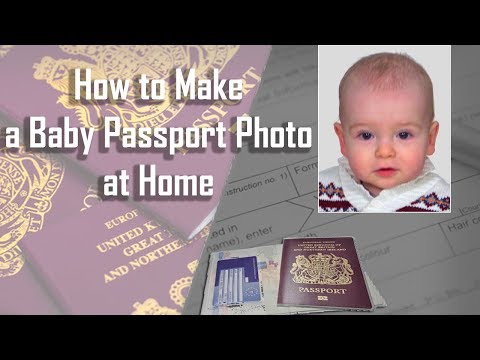
Taking a passport photo of a two-week-old is one of the most stressful parenting tasks in Singapore. The baby won't look at the camera, their head flops, and they don't care about your travel plans.
The 'White Sheet' and 'Car Seat' Methods #
Don't try to hold the baby up against a wall. Your hands will be in the shot, which is an automatic rejection.
- The Floor Method: Lay a clean, white bedsheet on the floor near a bright window. Lay the baby down on the sheet. Stand over them and make noises to get them to look up.
- The Car Seat Method: If the baby is slumped, put a white sheet over a car seat and strap the baby in. The incline supports their head. Just make sure the straps are hidden under the sheet.
Navigating the MyICA Portal: A Step-by-Step Upload Guide #
Once you have your photo from your passport photo maker, avoid these common “Image Quality” errors during the upload:
- Check Dimensions: Ensure it is exactly 400 pixels wide by 514 pixels high. If you use a tool like IC Photo Singapore, this is handled for you.
- Check File Size: Aim for 100KB to 500KB. Anything over 2MB is out. Anything under 50KB likely lacks the detail needed for a biometric scan.
- Format: Save as a JPEG. Avoid PNGs; they can carry transparency layers that the ICA portal often rejects.
- The Preview Tool: When you upload, ICA shows a preview with a crop box. If your head doesn't fit comfortably within the dotted lines, don't submit. Re-crop and try again.
DIY vs. Photo Booth vs. AI Editor: Which is Right for You? #
| Feature | DIY (Phone Only) | Neighborhood Photo Booth | AI Editor (e.g., IC Photo SG) |
|---|---|---|---|
| Cost | Free | $8 - $12 | Low / Free Basic |
| Compliance | Hit or Miss | High (usually) | Guaranteed (AI Checked) |
| Convenience | High | Low (Must travel) | High (At home) |
| Newborn Friendly | Very | Difficult | Best Option |
| Editing | None | Basic | Automated Background Removal |
Frequently Asked Questions #
Can I wear glasses for my Singapore passport photo? #
While ICA allows glasses, they must not have tinted lenses or thick frames that cover any part of the eyes. To be safe and avoid rejection due to glare, we recommend removing them.
Why was my photo rejected even though it looks clear? #
Rejection is often due to biometric markers. If your eyebrows are covered or there are subtle shadows on the background, the ICA algorithm cannot accurately map your face.
What is the exact Singapore passport photo size? #
The required size for the digital upload on the MyICA portal is 400 pixels wide by 514 pixels high, in JPEG format.
Final Checklist for a 'First-Time-Right' Application #
Before you hit "Submit," run through this list to ensure your passport photo app results are perfect:
- Are my eyebrows clear? (No hair touching them)
- Is the background pure white? (No off-white or cream tones)
- Am I wearing a dark shirt? (For clear segmentation)
- Is my mouth closed? (No teeth visible, neutral expression)
- Are my glasses off? (The safest way to avoid glare rejections)
- Is the lighting even? (No shadows on the face or background)
In conclusion, getting your Singapore passport or IC photo right isn't about luck—it's about satisfying a set of technical requirements. By using a specialized passport photo app and following these expert tips, you can ensure a smooth, "First-Time-Right" application and spend your time planning your trip instead of dealing with administrative delays.
Ready to Create Your Photo?
Get your perfect passport, IC, or visa photo in minutes. AI-powered, ICA-compliant, instant download.
Create Your Photo Now